Best free Premiere Pro alternatives in 2026
Colby Flood · October 17, 2026 · 11 min read
Premiere Pro is the editor most working video people learned on, and the subscription that comes with it is the reason so many of them keep looking for a way out. In 2026 the free field is stronger than it has ever been: a professional suite that Blackmagic gives away, two open source desktop editors that shipped their best releases this year, and a new generation of projects that reimplement Premiere's own layout rather than asking you to learn a different one.
This guide compares eight free Premiere Pro alternatives on the things that decide whether a switch sticks: whether it can take a Premiere project or hand one back, what it exports and at what quality, which platforms it runs on, how much of Premiere's workflow carries over, and what "free" actually means in each case. The list starts with our pick, and every entry says where it falls short.
Quick picks
- Our pick: FilmCraft, open source, built to Premiere's own layout, Mac, Windows and Linux, no subscription.
- Most complete free suite: DaVinci Resolve, the free version of a professional tool.
- Best open source editor for long projects: Kdenlive 26.08.
- Simplest open source editor: Shotcut 26.9.
- Closest to a broadcast workflow: Lightworks, with a 720p cap on the free tier.
- If you already use Blender: its built-in Video Sequencer, overhauled in 5.0.
- Easiest open source editor to learn: OpenShot 3.4.
- Already on a Mac: iMovie.
How we judged them
Moving a project. Whether a cut can come in from Premiere or go out to it, through XML, EDL, AAF or OpenTimelineIO, so switching does not mean starting over.
Export. Resolution caps, codec support, watermarks, and whether the free tier can deliver a client-ready file.
Platforms. Mac, Windows and Linux. Several of these run everywhere; a couple are tied to one.
How much carries over. Whether a Premiere editor can sit down and work, or has to relearn the panels, the shortcuts and the vocabulary.
What free means. Open source and free for good is one thing. A free tier with a resolution cap or a company that may move the line is another. We name the catch each time.
1. FilmCraft
FilmCraft is an open source video editor for Mac, Windows and Linux with the timeline, bins, multicam, colour grading with scopes, keyframes, effects, titles, captions and audio mixing a Premiere editor expects, and export to H.264, ProRes and DNxHR. It is a native app written in Rust, it runs offline, it never asks for a subscription, an account or a card, and it is released under the Apache 2.0 licence.
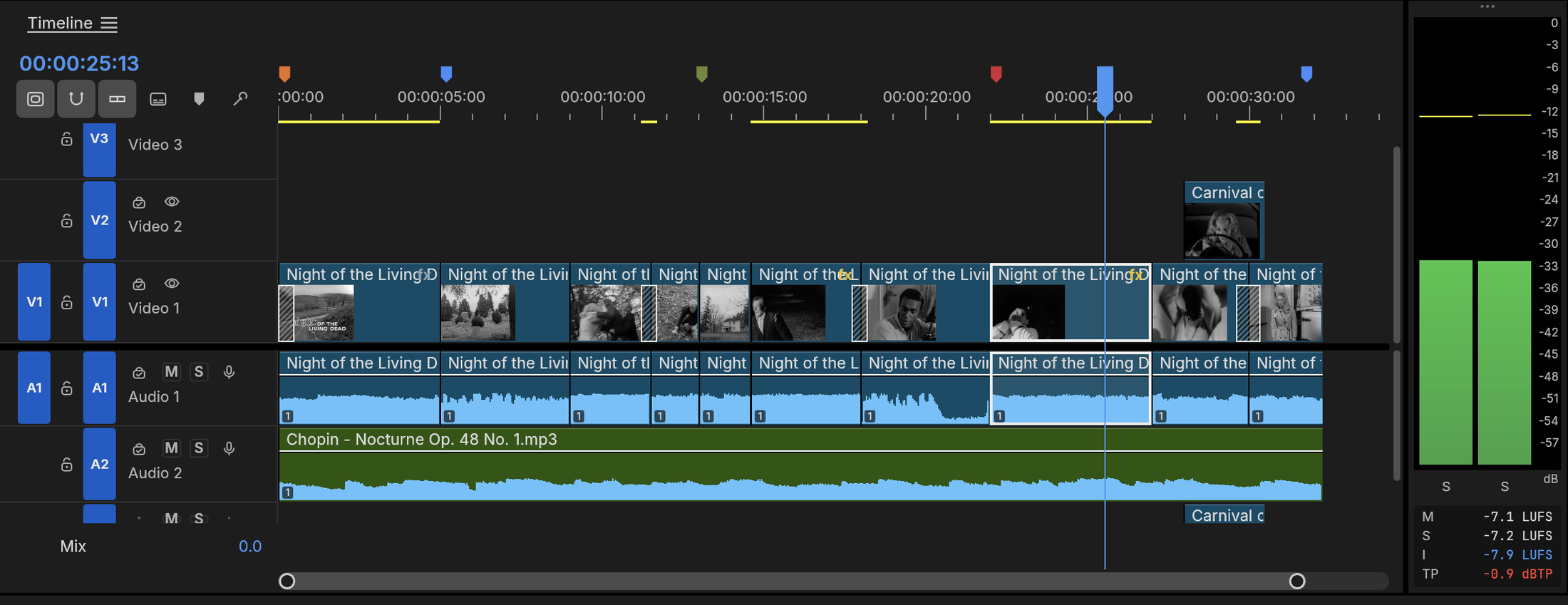
Screenshot: ArtCraft, from the project's own documentation.
What it is good at. It is a clean-room reimplementation of Premiere Pro, so the workspaces, panels, shortcuts and effects follow the layout you already know rather than a simplified editor's. Timelines move in and out through Final Cut Pro 7 XML, FCPXML, OpenTimelineIO, CMX 3600 EDL, AAF and OMF, so a cut can start here and finish in Premiere, Resolve, Final Cut or Avid, or come the other way. Native builds exist for Apple silicon and Intel Macs, Windows, Linux and FreeBSD, with hardware decoding on macOS and Windows, and there is a command-line tool and a browser build.
The catches. The project tracks its own numbers honestly: about 87 percent of Premiere's menu items, effects, transitions, panels and formats exist, and the team's estimate of how ready it is to replace Premiere on real projects sits at 50 to 60 percent. Speed on big footage, plugins and HEVC export are the gaps it names, and a release lands most weeks, so features move between versions.
Who it suits. Premiere editors who want the same layout without the subscription, teams on Linux, and anyone who needs to pass timelines between editing apps.
2. DaVinci Resolve
DaVinci Resolve is the editor and colour suite Hollywood post houses run, and Blackmagic gives the standard version away with no watermark and no time limit: editing, colour grading, Fusion visual effects and Fairlight audio in one application. The paid Studio version is a one-time purchase of about 295 dollars, not a subscription, and it adds export above Ultra HD, hardware-accelerated encoding, advanced noise reduction and the AI tools.
What it is good at. Everything Premiere does and more on the colour side, at broadcast quality. It imports Premiere projects through XML and AAF, so an existing library of cuts is not stranded.
The catches. It wants a capable graphics card and plenty of memory, the interface is its own rather than Premiere's, and the learning curve is measured in weeks. The free version caps delivery at Ultra HD.
Who it suits. Anyone willing to learn a professional tool properly, and anyone who grades.
3. Kdenlive 26.08
Kdenlive is the open source editor from the KDE community, and it has matured into a dependable desktop tool. The 26.08 release in August 2026 concentrated on stability, let you reorder tracks at last, change the speed of several clips at once, and improved the title editor. It runs on Linux, Windows and macOS under the GPL, imports and exports standard timeline formats, and handles proxies for heavy footage.
What it is good at. Long-form editing with proper multi-track work, keyframed effects, automatic subtitles through a speech model, and a project format that is plain XML.
The catches. The layout is Kdenlive's, not Premiere's, so shortcuts and habits need relearning, and the Windows and macOS builds have historically trailed the Linux one in polish.
Who it suits. Editors who want a serious free desktop tool and prefer open source over a free tier from a company.
4. Shotcut 26.9
Shotcut is the other long-running open source editor and it has had a busy 2026: version 26.9 in September moved the audio pipeline to full 32-bit float and added automatic ducking, 26.7 introduced a stock library of stickers, sounds and animated text, and 26.6 brought HDR preview and export. It is GPL licensed and runs on Windows, macOS and Linux.
What it is good at. Wide format support with no transcoding, 4K and HDR, a plain interface that is easier to learn than Kdenlive's, and EDL export for handing a cut to another app.
The catches. The design is functional rather than slick, multicam is basic, and it does not try to match Premiere's panels.
Who it suits. People who want a straightforward free desktop editor and can live without Premiere's conventions.
5. Lightworks
Lightworks has a feature-film pedigree and a free tier that has been around for years. The free version has no time limit and a full editing toolset, but it exports at 720p only, which keeps it a learning tool rather than a delivery tool. The paid Create and Pro tiers lift the cap and add formats, at prices that vary by source and billing period, so check the current page before you count on a number.
What it is good at. A professional cutting workflow, with trim tools and a timeline that fast editors like, on Windows, macOS and Linux.
The catches. 720p export on the free tier rules out client delivery, the interface is unlike Premiere's, and the paid plans are subscriptions again.
Who it suits. People learning professional editing who will pay later, or who deliver elsewhere.
6. Blender's Video Sequencer
Blender is a 3D suite, but it ships a full video editor, and Blender 5.0 in November 2025 overhauled it: hardware-accelerated HDR scopes, lasso and circle selection, a slip tool, a compositor modifier that runs node trees inside the timeline, and multi-scene editing. It is free and open source under the GPL on every desktop platform.
What it is good at. Projects that mix 3D, motion graphics and compositing with the edit, and teams already living in Blender.
The catches. It is a sequencer inside a 3D application, so the editing experience is nothing like Premiere's, and media management and audio tools are thin next to a dedicated editor.
Who it suits. Blender users, and anyone whose videos are mostly rendered rather than shot.
7. OpenShot 3.4
OpenShot is the open source editor people recommend to beginners, and version 3.4 in December 2025 was its biggest update in years: about a third faster overall, quicker exports, new effects including a LUT-based colour map and lens flare, interactive cropping, a timing mode for speed changes by dragging, and draggable keyframes. It runs on Linux, Windows and macOS under the GPL.
What it is good at. Simple cuts, titles and transitions with almost no learning curve, and a friendly interface for people who find the others intimidating.
The catches. It is a basic editor at heart: no multicam, limited colour tools, no project exchange with Premiere, and performance on long or high-resolution projects is still behind Kdenlive and Shotcut.
Who it suits. Beginners and occasional editors who want free and easy over powerful.
8. iMovie
iMovie comes with every Mac, iPhone and iPad and it is still free in 2026. It handles trimming, titles, transitions, basic colour and audio, and it exports clean 4K video, which is more than most free tiers manage.
What it is good at. The first editor for anyone on Apple hardware, with no account, no subscription and exports that look good.
The catches. Two video tracks, limited effects, no project exchange, and Apple devices only. Most Premiere users will outgrow it in a week, which is why the other seven exist.
Who it suits. Mac users who want something simple and already installed.
How to choose
- You want Premiere's layout without the subscription. FilmCraft.
- You want the most capable free suite and can learn a new interface. DaVinci Resolve.
- You want open source for long projects. Kdenlive for depth, Shotcut for simplicity.
- You are learning professional editing and deliver elsewhere. Lightworks.
- Your videos are mostly rendered. Blender's sequencer.
- You want easy. OpenShot, or iMovie on a Mac.
What you give up
Every option here gives up Adobe's ecosystem: the round trip to After Effects, Premiere's plugin market, Adobe Fonts and Stock, and the generative tools. If your work depends on those, the honest answer may be a cheaper Adobe plan. If your work is cutting, grading, titling and delivering, you have at least three free editors that will do it without a monthly bill, and one that already looks like the tool you are leaving.
FAQ
Is there a free version of Premiere Pro? No. Adobe offers a trial and Premiere Rush for quick social edits, but Premiere Pro itself is subscription only. The editors above are free in different ways: open source and free for good (FilmCraft, Kdenlive, Shotcut, Blender, OpenShot), a free version of a paid suite with a resolution cap (DaVinci Resolve, Lightworks), or free with the hardware (iMovie).
Which free alternative is most like Premiere Pro? FilmCraft, because it reimplements Premiere's workspaces, panels and shortcuts on purpose. DaVinci Resolve is the most capable, but its interface is its own.
Can I open my Premiere projects in these? Not directly, but most of them accept the timeline formats Premiere exports. FilmCraft reads Final Cut Pro 7 XML, FCPXML, OpenTimelineIO, EDL, AAF and OMF. DaVinci Resolve imports XML and AAF. Kdenlive and Shotcut read EDL and some XML. Export the sequence from Premiere, then import it, and expect to relink media and redo effects.
Is FilmCraft ready for real projects? For cutting, trimming, multicam, colour, keyframes, titles, captions, mixing and export, yes. The project rates its readiness to replace Premiere on real projects at 50 to 60 percent and names speed on big footage, plugins and HEVC export as the gaps, so test it on your own footage before you move a client job.
Can I use these for client work? Yes. All eight allow commercial use. Open source licences such as the GPL and Apache 2.0 cover the software, not the videos you make with it. Check the licences on fonts, music and stock footage as you would in Premiere.
Looking for more? Every tool on Unmetered's free tools board is free software with full source, an install guide and a Claude Code prompt, under one licence for your organization.
Own the software you run.
Unmetered is a curated marketplace where vetted operators sell ready-to-run software, full source, one-time price, licensed to your organization forever.