Best free Photoshop alternatives in 2026
Colby Flood · October 10, 2026 · 11 min read
Photoshop is still the tool most people picture when they think of image editing, and most people picture the subscription that comes with it. In 2026 the free alternatives are better than they have ever been: Affinity dropped its price to nothing, GIMP shipped the non-destructive editing it had been promising for a decade, and a new generation of open source editors treats the PSD format as a first-class citizen rather than an afterthought.
This guide compares eight free Photoshop alternatives on the things that decide whether a switch sticks: how well each one opens and saves PSD files, what platforms it runs on, how steep the learning curve is, what "free" actually means in each case, and who each one suits. The list starts with our pick, and every entry says where it falls short.
Quick picks
- Our pick: PhotoCraft, open source, built around PSD files, Mac, Windows and Linux, no subscription.
- Closest to Photoshop on the desktop: Affinity, free since October 2025.
- Closest to Photoshop in a browser tab: Photopea.
- Best open source all-rounder: GIMP 3.2.
- Best for painting and illustration: Krita 5.3.
- Best for RAW photos: darktable.
- Simplest on Windows: Paint.NET.
- Quick fixes with no install: Pixlr.
How we judged them
PSD fidelity. Can it open a layered PSD from a client, keep the layers, masks and adjustment layers, and save it back without wrecking the file? For anyone working with designers or agencies this matters more than any single feature.
Platforms. Mac, Windows, Linux, iPad, browser. Several of these run everywhere; a few are tied to one platform.
Learning curve. Whether a Photoshop user can sit down and work, or has to relearn where everything lives.
What free means. Open source and free forever is one thing. Free with an account is another. Free with ads and a paid tier above it is a third. Each has a different catch, and we name it.
Who it suits. Nobody needs eight editors. The right one depends on whether you retouch photos, build layered compositions, paint, or just need to crop and export.
1. PhotoCraft
PhotoCraft is an open source image editor that opens, edits and saves real PSD files on Mac, Windows and Linux. It is a native app written in Rust, it runs offline, and it never asks for a subscription, an account or a card. It ships layers, masks, adjustment layers, layer styles, type, vector shapes, brushes and filters, and it is released under the Apache 2.0 licence.
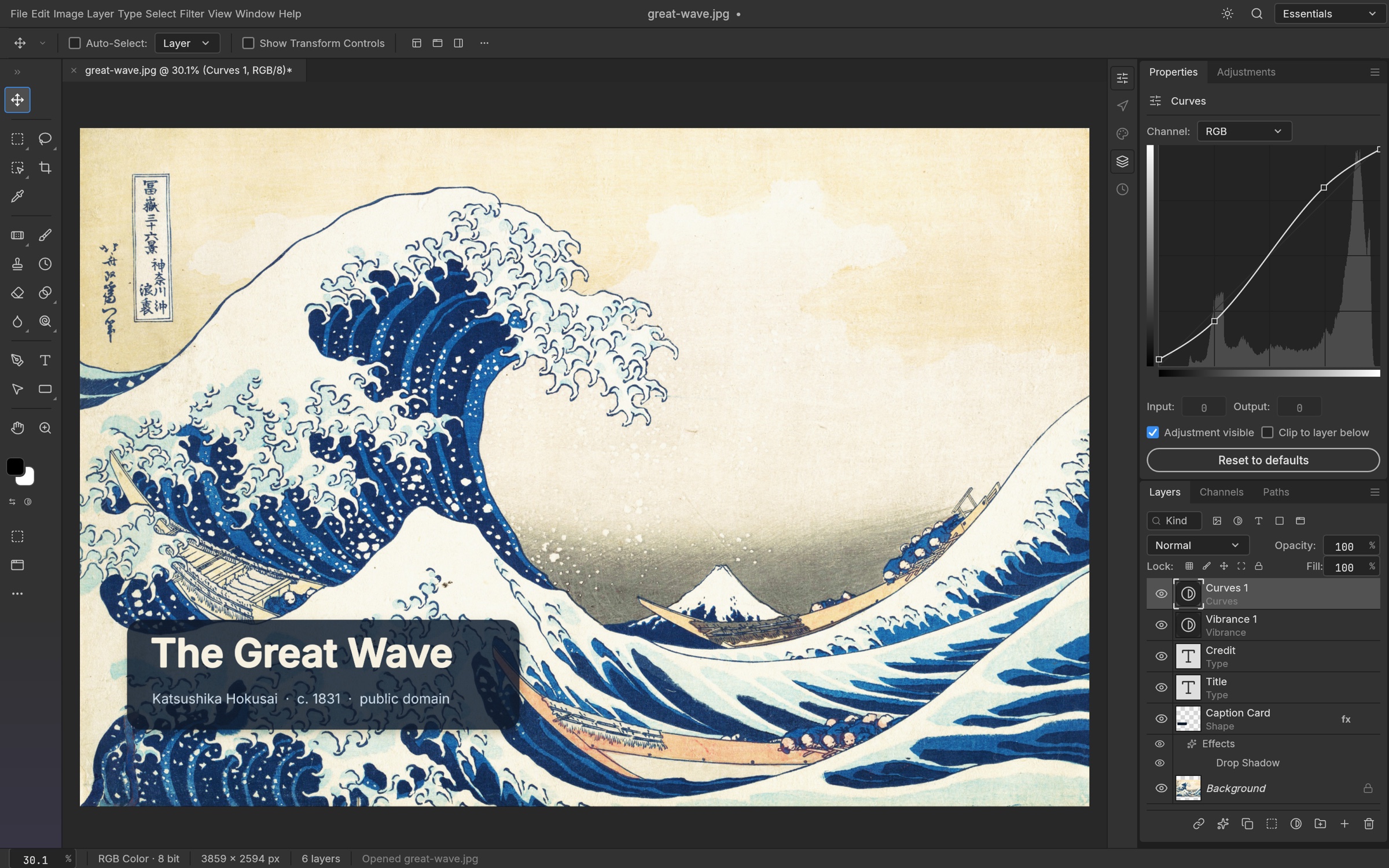
Screenshot: ArtCraft, from the project's own documentation.
What it is good at. PSD compatibility is the point of the project rather than a bolt-on, so layered files from designers round-trip with their structure intact, and the interface follows Photoshop's conventions closely. Because it is a native app with no account, it works on an agency machine, a client site or a plane. The project moves quickly: version 0.6.0 landed in October 2026 and a new release ships most weeks.
The catches. The project describes itself as early alpha. It is already strong on layers, adjustments and PSD fidelity, but there are gaps against the full Photoshop feature set, and a fast release cadence means features move between versions. Treat it as a capable editor under active development, not a finished replacement.
Who it suits. Agencies and creators who need to edit PSD files from clients without a Creative Cloud seat, and anyone who prefers an open source desktop app over a browser tool.
2. Affinity
Affinity used to be the one-time-purchase alternative that people recommended to anyone tired of paying monthly. In October 2025 Canva, which bought the company, relaunched it as a single free app that combines photo editing, vector design and page layout, replacing the three separate Affinity apps. It runs on Mac and Windows, with iPad versions as well.
What it is good at. It is the most complete Photoshop replacement on this list for professional work: real adjustment layers, live filters, CMYK, a full vector toolset in the same document, and solid PSD import and export. The interface is polished and most Photoshop habits transfer within a day.
The catches. You sign up with a Canva account to use it. The generative AI tools plug into Canva's paid plans rather than being part of the free app. The old perpetual licences are gone, so the deal is "free for now under Canva's terms" rather than "yours forever". It is not open source.
Who it suits. Freelancers and small studios who want a professional editor at no cost and are comfortable with an account-based free product.
3. GIMP 3.2
GIMP is the open source editor everyone names first, and in 2026 that recommendation is finally easy to make. GIMP 3.0 arrived in 2025 after a long wait, and GIMP 3.2, released in March 2026, added the features Photoshop users missed most: non-destructive filters and layer effects you can go back and edit, vector layers drawn with the path tool, link layers that keep a connection to the original file, and better PSD import that brings in more layer styles. Point releases through the spring fixed the early bugs.
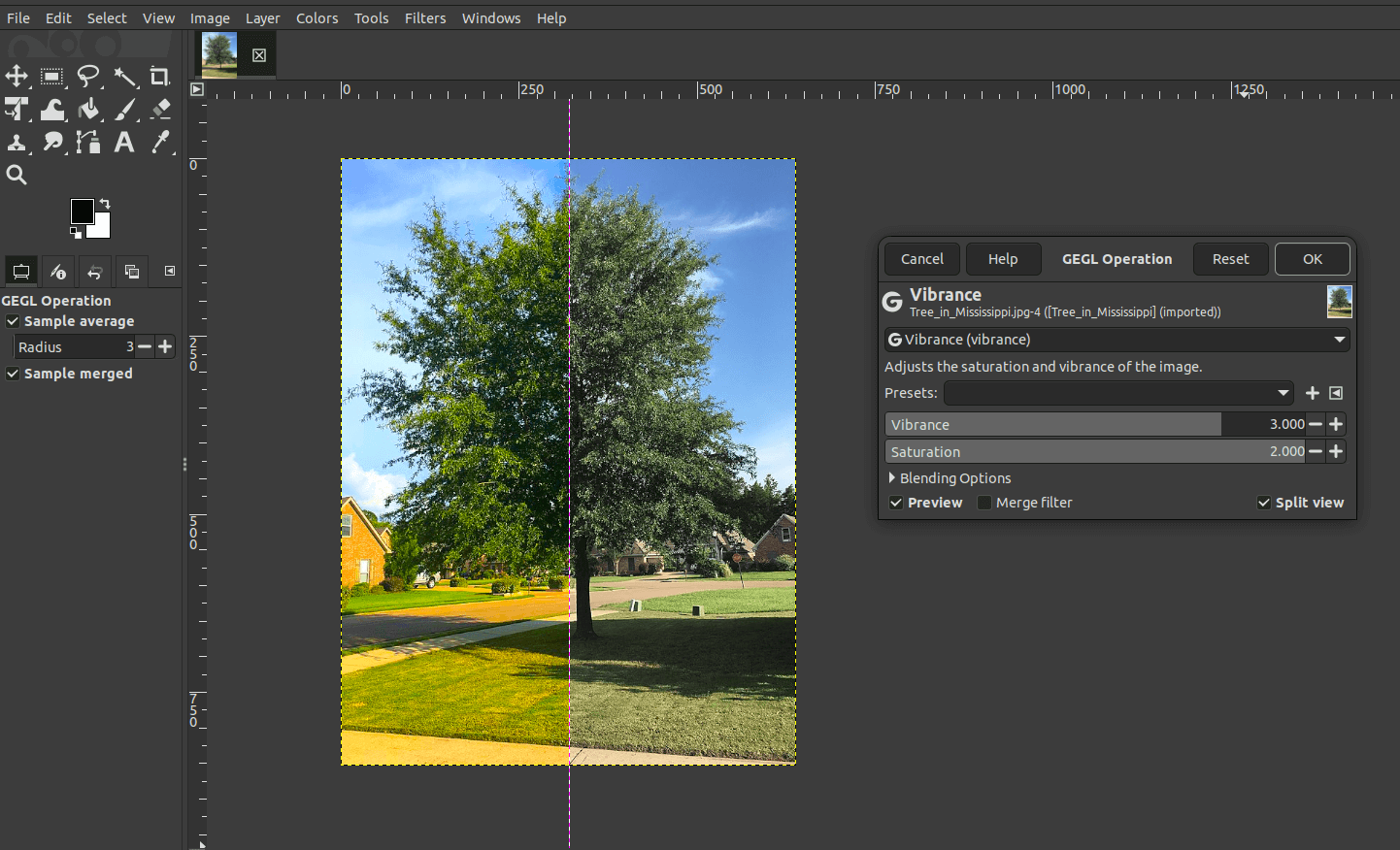
Screenshot: GIMP team, CC BY-SA 4.0, from the GIMP 3.2 release notes.
What it is good at. Retouching, compositing, colour work and batch processing, on Linux, Windows and macOS, with a large plugin ecosystem and twenty years of tutorials behind it. It is licensed under the GPL, which means it is free for any use and will stay that way.
The catches. The interface is still GIMP's, not Photoshop's, and the vocabulary is different enough that the first week is slow. RAW photos go through a separate developer such as darktable or RawTherapee. There is no native CMYK workflow for print. 32-bit Windows is no longer supported.
Who it suits. Anyone who wants a serious editor with no strings attached and is willing to learn its layout.
4. Photopea
Photopea is a Photoshop-style editor that runs entirely in a browser tab. Nothing is installed, your files are processed in the browser rather than uploaded, and it opens PSD, XD, Sketch and XCF files with better fidelity than most desktop apps manage. The layout is close enough to Photoshop that most people are productive in minutes.
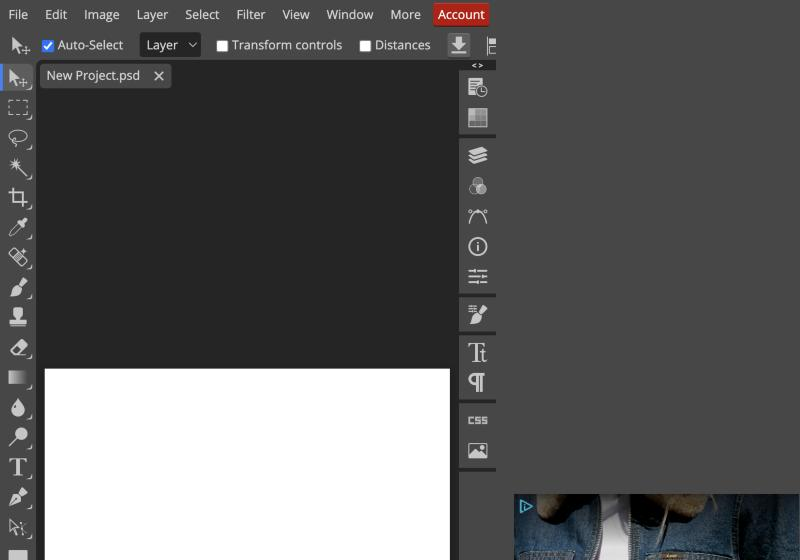
Screenshot: Unmetered, October 2026, free version with ads.
What it is good at. Opening a client's PSD on a machine where you cannot install software, quick layered edits, and a Photoshop-shaped workflow with no learning curve.
The catches. The free version shows ads beside the canvas. The ad-free Premium tier is around five dollars a month, with cheaper prepaid terms, so it is free the way a free app is free rather than open source. Very large files can lag in the browser, and you are depending on one company's web service staying up.
Who it suits. Occasional editors, people on locked-down computers, and anyone who needs to open a PSD right now.
5. Krita 5.3
Krita is a painting program first and an image editor second, and it is the best free tool on this list for illustration, concept art and comics. Krita 5.3, released in March 2026, rewrote the text engine so type is edited directly on the canvas, and added a knife tool for comic panels and HDR file support. The project recommends the 5.3 series for production work while the Qt 6 based 6.0 line matures.
What it is good at. Brushes, brush engines, stabilisers, animation, and a tablet experience that most paid tools cannot match. It imports and exports PSD, so painted work can go to a Photoshop user.
The catches. It is not built for photo retouching or batch work, and its PSD support is aimed at moving paintings between apps rather than preserving every Photoshop feature.
Who it suits. Artists and illustrators. If you draw more than you retouch, start here.
6. Paint.NET
Paint.NET is the Windows editor that sits between Paint and Photoshop: layers, blend modes, a clean interface and a plugin community, without the weight of GIMP. The classic version is a free download from the project's own site; the Microsoft Store edition is a paid listing that adds automatic updates and the same features.
What it is good at. Fast, simple edits on Windows with a learning curve measured in minutes.
The catches. Windows only. PSD support needs a plugin and is basic. No adjustment layers or advanced compositing.
Who it suits. Windows users who want something quick and familiar for everyday edits.
7. darktable
darktable is not a Photoshop replacement so much as a Lightroom replacement, but it belongs here because a lot of people who say "I need Photoshop" actually need a RAW developer. darktable is open source, runs on Linux, Windows and macOS, and handles cataloguing, non-destructive RAW development, colour grading and export.
What it is good at. Developing RAW files from any camera, batch processing a shoot, and a colour pipeline that photographers respect.
The catches. No layered pixel editing, so compositing and retouching still need one of the editors above. The interface rewards patience.
Who it suits. Photographers who shoot RAW and want the Lightroom half of the Adobe bundle for free.
8. Pixlr
Pixlr is a browser editor aimed at quick jobs: crop, retouch, remove a background, add text, export. Its free tier is supported by ads and limits how much you can do in a day, and the paid plans above it cost a few dollars a month.
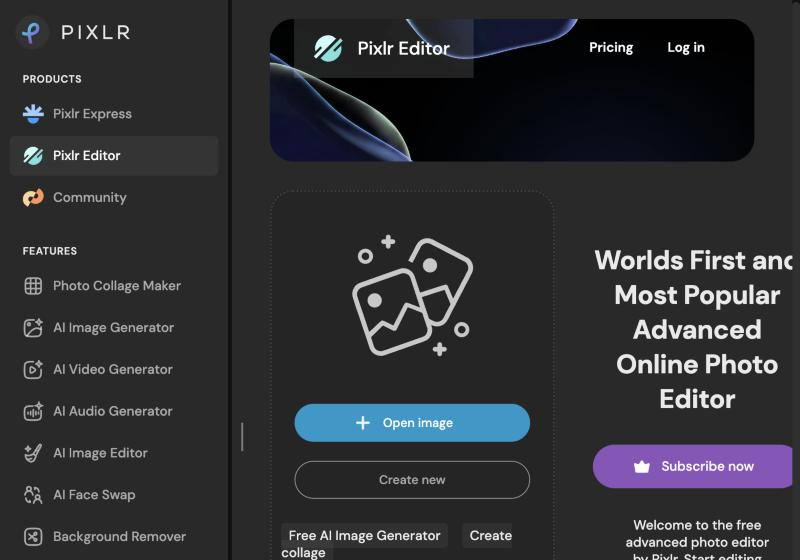
Screenshot: Unmetered, October 2026.
What it is good at. Fast, guided edits with AI helpers, on any machine, with no learning curve.
The catches. The free tier is deliberately limited, PSD support is partial, and it is a web service rather than software you own.
Who it suits. Social media and marketing teams making quick images, not anyone replacing Photoshop for real.
How to choose
- You open PSD files from clients every week. PhotoCraft if you want open source software you own, Affinity for a polished desktop app with an account, Photopea in a browser.
- You want one editor for everything and do not mind learning it. GIMP 3.2.
- You draw. Krita.
- You shoot RAW. darktable, plus one of the editors above for retouching.
- You just need to crop and export on Windows. Paint.NET.
- You need a quick edit on someone else's laptop. Photopea or Pixlr.
What you give up
Every option here gives up the same things: Adobe's cloud documents, its font library, the Firefly generative tools, and the plugin and action ecosystem built around Photoshop over thirty years. If your work depends on those, a cheaper Adobe plan may still be the honest answer. If your work is layers, retouching, type and export, you have at least three free editors that will do it without a monthly bill.
FAQ
Is there a completely free version of Photoshop? No. Adobe offers Photoshop Express for phones and quick web edits, but the full Photoshop is subscription only. The editors above are free in different ways: open source and free forever (GIMP, Krita, PhotoCraft, darktable), free with an account (Affinity), or free with ads and a paid tier above (Photopea, Pixlr).
Which free Photoshop alternative opens PSD files best? PhotoCraft is built around the PSD format and keeps layers, masks and adjustment layers intact. Affinity and Photopea also handle PSD files well. GIMP 3.2 imports more layer styles than earlier versions, with some remaining gaps.
Is Affinity really free now? Yes. Canva relaunched Affinity as one free app in October 2025. You sign in with a Canva account, and the generative AI features are part of Canva's paid plans rather than the free app.
Can I use these for client work? Yes. All eight allow commercial use. Open source licences such as the GPL and Apache 2.0 cover the software, not the images you make with it. Check the licence on any fonts or stock assets you bring in, as you would in Photoshop.
Is GIMP as good as Photoshop? For retouching, compositing and web work, GIMP 3.2 does the job, and its non-destructive editing closed the biggest gap. It is weaker for print and CMYK work, it has no equivalent of Adobe's generative tools, and the interface takes a week to learn.
Looking for more? Every tool on Unmetered's free tools board is free software with full source, an install guide and a Claude Code prompt, under one licence for your organization.
Own the software you run.
Unmetered is a curated marketplace where vetted operators sell ready-to-run software, full source, one-time price, licensed to your organization forever.