starters
FreeFlow
Wispr Flow alternative for Mac
Built from Zach Latta’s public project · 2,845 stars on GitHub
v1.3.1, updated Oct 10, 2026
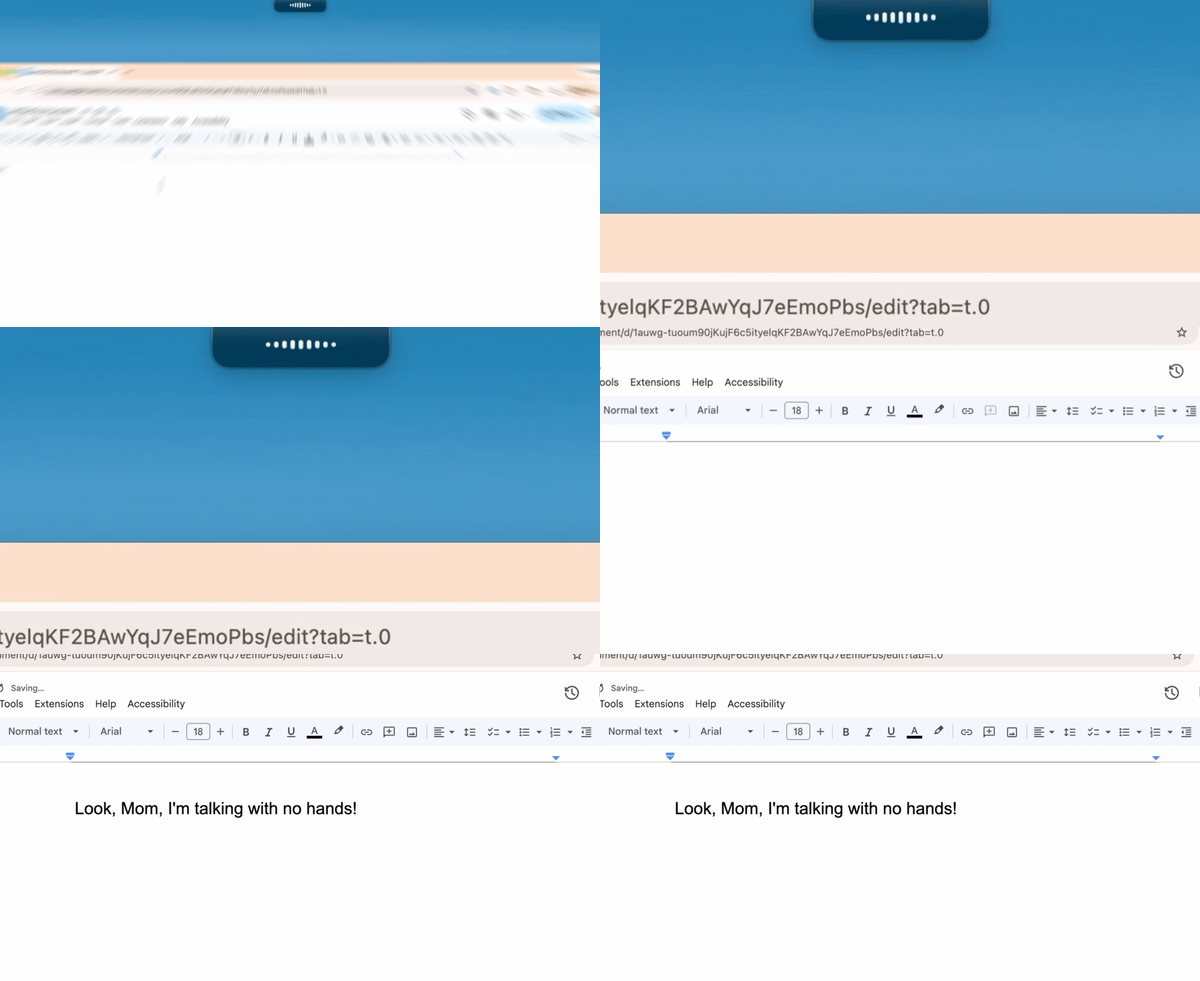
FreeFlow is a free, open source dictation app for Mac and a Wispr Flow alternative: hold a key, speak, and the words land in whatever you were typing, cleaned up by an AI model that knows the names and terms on your screen. It is a native app written in Swift, it runs on Apple silicon and Intel Macs from macOS 13, and there is no subscription, no account and no FreeFlow server.
Voice to text that works in every app
Hold Fn to talk and let go to paste, or tap Command-Fn to start and stop a longer dictation. Both shortcuts are yours to change, and a toggle shortcut that extends the hold shortcut lets you start in hold mode and latch into tap mode without stopping the recording. The text goes into the current field, so the same key dictates an email, a terminal command, a document or a chat message. The project names Wispr Flow, Superwhisper and Monologue as the apps it set out to replace, and the difference is the monthly fee.
Cleanup that knows your context
Raw speech-to-text comes back full of filler and misspelled names. FreeFlow reads nearby app context so names, terms and phrases are spelled the way they appear on your screen, keeps a custom vocabulary of the jargon and project words you want preserved, and strips the ums without changing what you meant. Edit Mode turns the same shortcut into an editor: highlight existing text, say "make this shorter" or "turn this into bullets", and it is rewritten in place.
Bring your own model, cloud or local
FreeFlow talks to Groq by default, which means a free API key and transcription fast enough to feel instant. Any OpenAI-compatible provider works in its place: set the API base URL and model ids in settings, point transcription at a different endpoint if your stack splits them, or run everything on your own machine through Ollama or LM Studio for a dictation setup that never leaves the laptop.
Private by design, open by licence
There is no FreeFlow server and nothing is stored or retained; the only data that leaves your Mac is the API call to the provider you configured, and the screen context it reads for spelling can be switched off. The code is MIT licensed, written by Zach Latta, the founder of Hack Club, and maintained with a community of contributors, with more than 2,800 stargazers behind it.
What you get here
The complete source of release 1.3.1 as published by Zach Latta, with the project's MIT licence inside, plus an install guide written for this listing that covers the signed app, the Groq key, running a local model and building from source, and a Claude prompt that walks you through setup.
What you get
How you’ll run it:Full source zipClaude Code prompt, one pasteGuided install
Swift, native macOS appGroq or any OpenAI-compatible speech and language model APILocal models through Ollama or LM Studio
- Full source of FreeFlow 1.3.1 as released by Zach Latta: the Swift app, its tests and the project website
- The project's README, MIT licence and changelog, untouched
- An install guide written for this listing: the signed app, the free Groq key, local models, building from source
- A Claude prompt that walks you through installing it on your Mac
- A link to the prebuilt, signed FreeFlow.dmg
Requirements: A Mac on macOS 13 or newer, Apple silicon or Intel, with a microphone. FreeFlow asks for Microphone and Accessibility permissions (to listen and to paste), and Screen Recording if you keep context-aware cleanup on. A free Groq API key, or any OpenAI-compatible provider including a local model through Ollama or LM Studio. To build from source: the Xcode Command Line Tools.
Current version
v1.3.1 · published Oct 10, 2026 · 13038.3 KB
v1.3.1 (release), as released. sha256 79460aeeeb24ce8254e862d1c325070777f70334eb94786f5c60df15dcd8c343.
sha256 79460aeeeb24ce8254e862d1c325070777f70334eb94786f5c60df15dcd8c343 · reviewed contents; your download adds a license receipt fingerprinted to your purchase
Reviews
Verified purchases only. You can't review what you don't own.
No reviews yet.